Дата выхода:
6 сен. 2019 г.
Разработчик:
Acid Wizard Studio
Издатель:
Hooded Horse, Acid Wizard Studio
Steam ID:
1140120
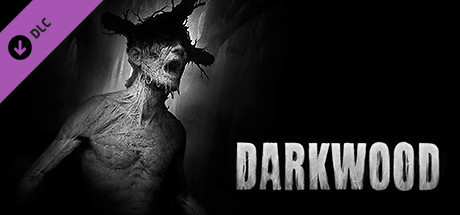
Darkwood - Soundtrack
The official soundtrack of Darkwood, created entirely by Artur Kordas (who is also responsible for the art, story, sound design and most of the game design of Darkwood).
Дата выхода:
6 сен. 2019 г.
Разработчик:
Acid Wizard Studio
Издатель:
Hooded Horse, Acid Wizard Studio
Steam ID:
1140120
Способ получения

Скриншоты
Смотреть всеКупить Darkwood - Soundtrack, игра на ПК | Steam
Вы приобретаете игру в Steam, которую получите ПОДАРКОМ на Ваш аккаунт. Это происходит автоматически 24/7 без праздников и выходных.
Процесс получения гифта очень простой и занимает пару минут:
- После оплаты к вам в друзья Steam добавится бот. Пожалуйста, примите его в друзья, чтобы получить игру.
- После добавления, вам будет отправлен подарок в виде игры — нужно принять его.
- Игра у вас на аккаунте — можно играть.
Описание
The official soundtrack of Darkwood, created entirely by Artur Kordas (who is also responsible for the art, story, sound design and most of the game design of Darkwood).
Available in FLAC and MP3 320 kbps formats.
Tracklist (59:35):
1 Darkwood 4:24
2 Intro 2:08
3 Dream 5:16
4 Baba 2:06
5 Green People 3:58
6 Road To Home 3:12
7 Untitled 1 2:56
8 First Visit 1:42
9 Heathbeat 1:28
10 Voice 2:16
11 Piotrek 4:28
12 Untitled 2 2:22
13 Wedding 2:01
14 Untitled 3 2:07
15 Underground 2:08
16 Wolf 1:44
17 Voices 3:16
18 Escape From a Dream 0:48
19 Witch 1:32
20 End Of The Night 0:59
21 New Dawn 3:22
22 Last Hideout 5:24
For example, on Windows 10, this folder would typically be "C:\Program Files (x86)\Steam\steamapps\common\Darkwood".
If you are unsure where Darkwood is installed, navigate to Darkwood in the Steam library, right click and select "Properties...". Switch to the "Local files" tab in the window that pops up and press the "Browse local files..." button to open the folder where Darkwood is installed.
Available in FLAC and MP3 320 kbps formats.
Tracklist (59:35):
1 Darkwood 4:24
2 Intro 2:08
3 Dream 5:16
4 Baba 2:06
5 Green People 3:58
6 Road To Home 3:12
7 Untitled 1 2:56
8 First Visit 1:42
9 Heathbeat 1:28
10 Voice 2:16
11 Piotrek 4:28
12 Untitled 2 2:22
13 Wedding 2:01
14 Untitled 3 2:07
15 Underground 2:08
16 Wolf 1:44
17 Voices 3:16
18 Escape From a Dream 0:48
19 Witch 1:32
20 End Of The Night 0:59
21 New Dawn 3:22
22 Last Hideout 5:24
After installation
After purchasing and installing the DLC, the files will be in the folder "Darkwood OST" under the root folder where Darkwood is installed.For example, on Windows 10, this folder would typically be "C:\Program Files (x86)\Steam\steamapps\common\Darkwood".
If you are unsure where Darkwood is installed, navigate to Darkwood in the Steam library, right click and select "Properties...". Switch to the "Local files" tab in the window that pops up and press the "Browse local files..." button to open the folder where Darkwood is installed.
Системные требования
Смотреть всеМинимальные:
Минимальные:
- ОС: Any
Способ оплаты
Привязать счёт СБП
Оплатить без привязки
Нажимая «Купить», вы принимаете Правила пользования сайтом и Договор публичной оферты