Дата выхода:
9 мая 2022 г.
Разработчик:
FlightSim Studio AG
Издатель:
Aerosoft GmbH
Steam ID:
1960120
X-Plane 11 - Add-on: Aerosoft - ProCam
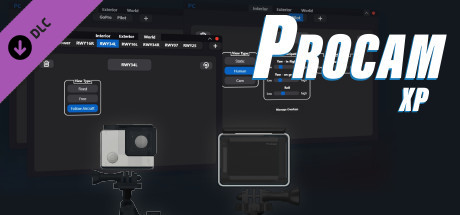
ProCam XP now gives you the option to quickly and easily create new camera positions within the X-Plane 11 simulator. Whether it´s new positions within a cockpit, within your favorite scenery to observe your flight or AI traffic.
Дата выхода:
9 мая 2022 г.
Разработчик:
FlightSim Studio AG
Издатель:
Aerosoft GmbH
Steam ID:
1960120
Способ получения

Скриншоты
Смотреть всеКупить X-Plane 11 - Add-on: Aerosoft - ProCam, игра на ПК | Steam
Вы приобретаете игру в Steam, которую получите ПОДАРКОМ на Ваш аккаунт. Это происходит автоматически 24/7 без праздников и выходных.
Процесс получения гифта очень простой и занимает пару минут:
- После оплаты к вам в друзья Steam добавится бот. Пожалуйста, примите его в друзья, чтобы получить игру.
- После добавления, вам будет отправлен подарок в виде игры — нужно принять его.
- Игра у вас на аккаунте — можно играть.
Описание
ProCam XP now gives you the option to quickly and easily create new camera positions
within the X-Plane 11 simulator. Whether it´s new positions within a cockpit, within your favorite scenery to observe your flight or AI traffic.
Create stunning tracking shots in and around your own aircraft or in the scenery of your choice. Use effects such as simulated breathing to create a realistic pilot view.
Are you a developer yourself? Then deliver ready-made presets with your custom scenery and show your customers the best spots in your product.
Features
Limitations
MacOs as operating system for the ProCam plugin is currently not supported.
If you are using OpenGL, there may be an offset when placing the 3D camera object.
within the X-Plane 11 simulator. Whether it´s new positions within a cockpit, within your favorite scenery to observe your flight or AI traffic.
Create stunning tracking shots in and around your own aircraft or in the scenery of your choice. Use effects such as simulated breathing to create a realistic pilot view.
Are you a developer yourself? Then deliver ready-made presets with your custom scenery and show your customers the best spots in your product.
Features
- Presets for cockpit, exterior and world category
- Optional 3D camera object in cockpit/exterior
- Presets for XP default aircraft included - Different view types
- Cockpit: static
- Cockpit: human
- Cockpit: cam
- Exterior: static
- Exterior: cam
- World: fixed
- World: free
- World: follow aircraft - Manual camera control
- Key combination / joystick / controller mapping are possible - Various effects
- Head rotation based on control inputs
- Simulated breathing (pilot view)
- Gimbal control (horizon/tilt) - Invisible clickspots
- Individual clickspot overlay setup - Cinema Mode for each aircraft size category
- Presets can be included in add-on sceneries
- Cinema presets can be included in add-on sceneries
Limitations
MacOs as operating system for the ProCam plugin is currently not supported.
If you are using OpenGL, there may be an offset when placing the 3D camera object.
Системные требования
Смотреть всеМинимальные:
Минимальные:
- ОС: Microsoft Windows 10 (64bit)
- Процессор: Multi Core processor with 3.2 GHz or better
- Оперативная память: 12 GB ОЗУ
- Видеокарта: 6 GB VRAM
- Место на диске: 500 MB
Рекомендуемые:
Рекомендованные:
- Видеокарта: 8 GB+ recommended
Способ оплаты
Привязать счёт СБП
Оплатить без привязки
Нажимая «Купить», вы принимаете Правила пользования сайтом и Договор публичной оферты